-
Deposit Products
- Business Checking
- Small Business Checking
- Business Money Market Accounts
-
Loan Products
- Commercial Loans
- Real Estate Loans
- SBA Loans
- International Banking
- Forms
- Learning Center
-
Online Services
- Wallis 360
- Remote Deposit
- Positive Pay
- Financial Calculators
- Mobile Deposit
- Card Safe
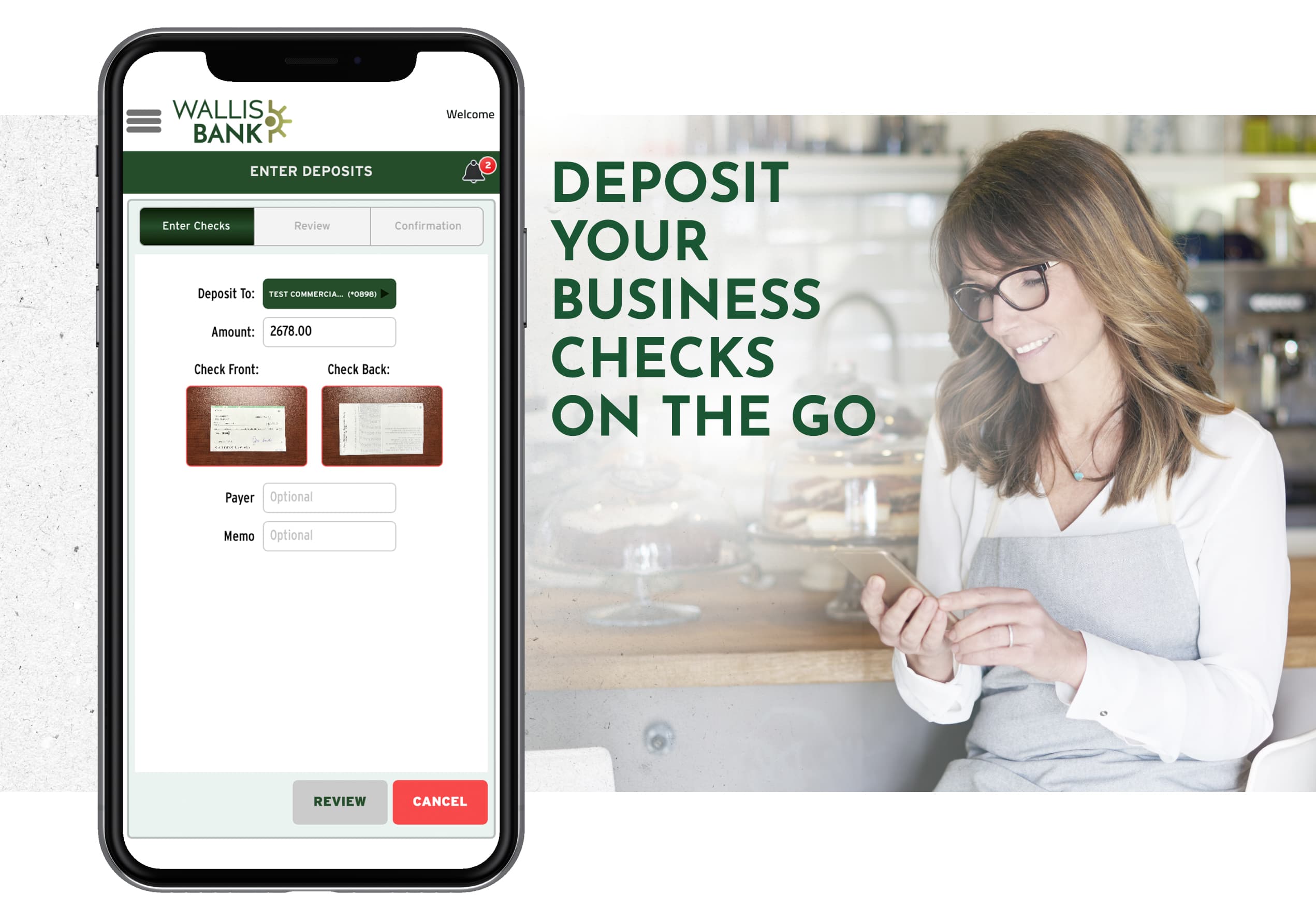
Banking for your business just got easier! Mobile Deposit gives our commercial customers the option to deposit checks directly from their smartphones. Simply download the Wallis 360 Mobile app from Google Play or the Apple App Store to deposit checks on the go.
Making a Deposit with the Wallis 360 Mobile app Is Quick and Secure.
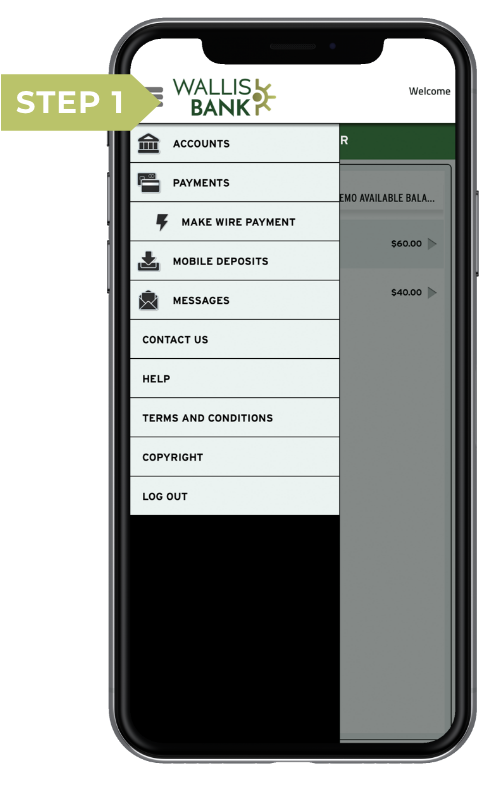
STEP 1
From the Mobile Deposit screen in the Wallis 360 Mobile app, you can deposit commercial paper checks. To deposit a check, begin by endorsing the back of the check then select “Mobile Deposits” from the main menu of the app.
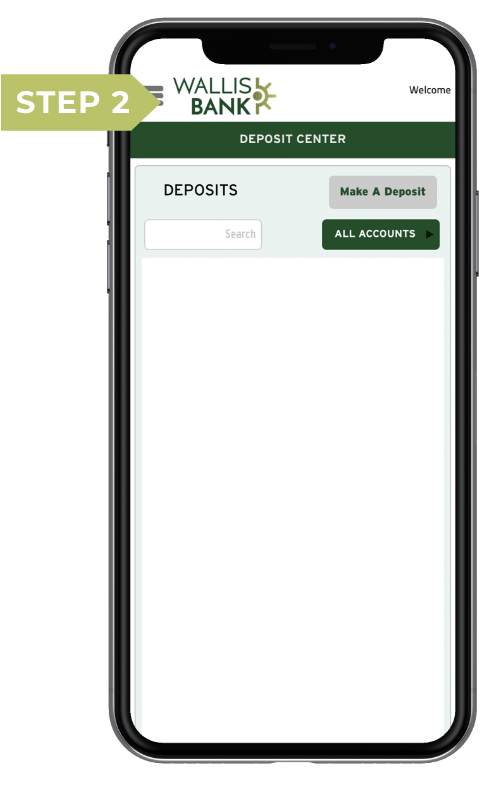
STEP 2
Enter the amount on the check and choose the account you wish to make a deposit into.
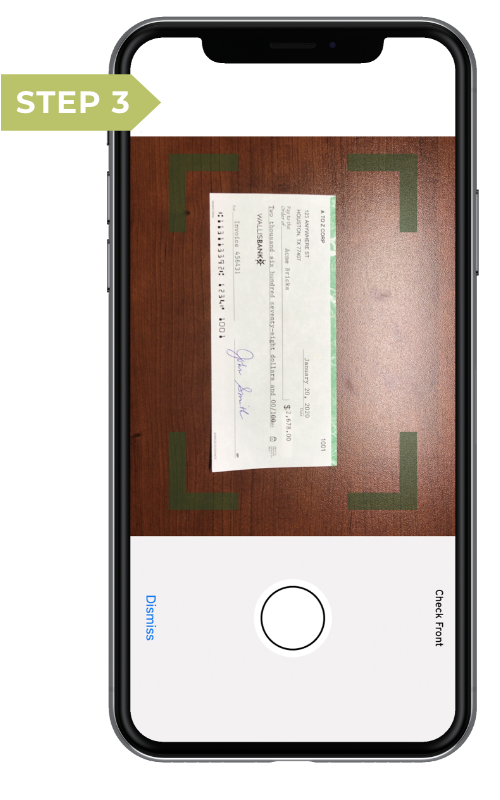
STEP 3
Take a photo of the front of the check, against a dark background, without any objects. Ensure the entire check is visible, in focus, and well lit. If clear, accept it. Repeat this process for the back of the check. The check must fit within the green box.
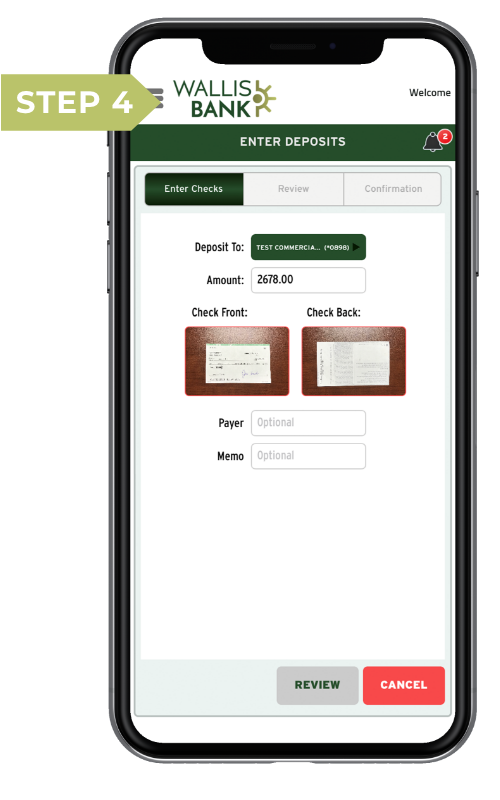
STEP 4
Once both images have been captured, continue to review your deposit and confirm it. You can check the status of your deposit at any time. Statuses include pending, failed, and those that have been accepted and posted.
MOBILE DEPOSIT BENEFITS
Save Yourself a Trip
Mobile Deposit makes life easier by saving you a trip to the bank. Fewer errands means more time focusing on your business.
Deposit From Anywhere
Wherever you have a connection from your smartphone, you are able to deposit into your commercial bank account with ease.
Manage Money Easier
Mobile Deposit is now one of the many tools at your fingertips to save time and keep better track of your money.
FAQ
You can select Mobile Deposits from the Wallis 360 Mobile app to deposit business checks payable in US dollars. These items ARE NOT accepted via mobile deposit:
- Money orders
- US savings bonds
- Foreign checks made payable in foreign currency
- Checks that were previously deposited
- Checks made payable to a person or business other than an account holder
- Charge card convenience checks
- Altered checks
- Checks more than six months old
Simply sign your check as you would if you were presenting it to one of our customer service representatives and add ‘For mobile deposit only’ under your signature/endorsement.
We recommend you keep paper checks you have submitted for a mobile deposit for 5 days,
after which you can safely destroy them.
Yes, for businesses, the maximum total dollar amount deposited each business day cannot exceed $5,000. There is no limit to the total number of checks deposited in one business day.
Download Now for iOS and Android


- Ⓒ Wallis Bank, All rights reserved.
-
 Equal Housing Lender
- Privacy Notice Disclosures